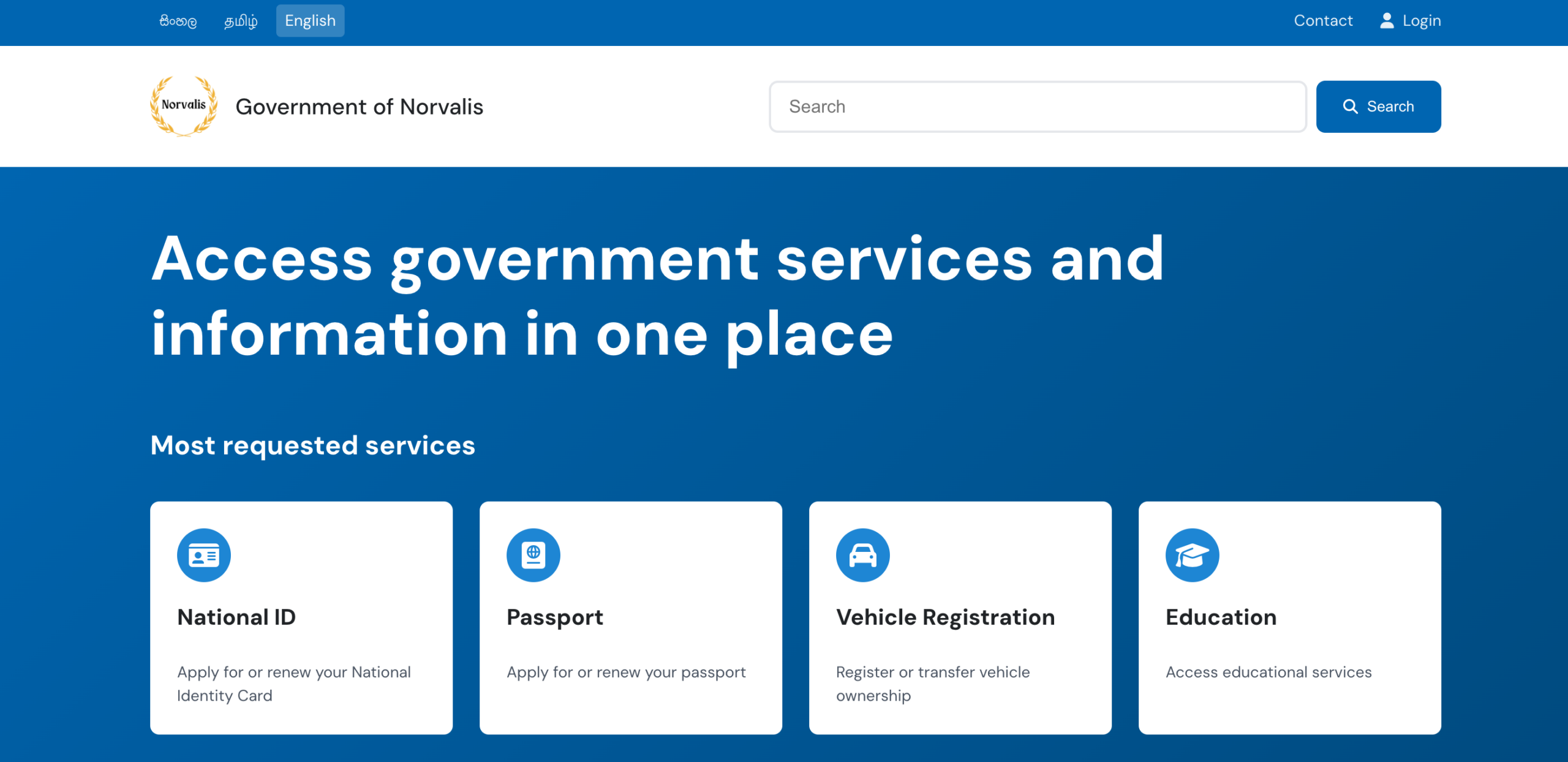
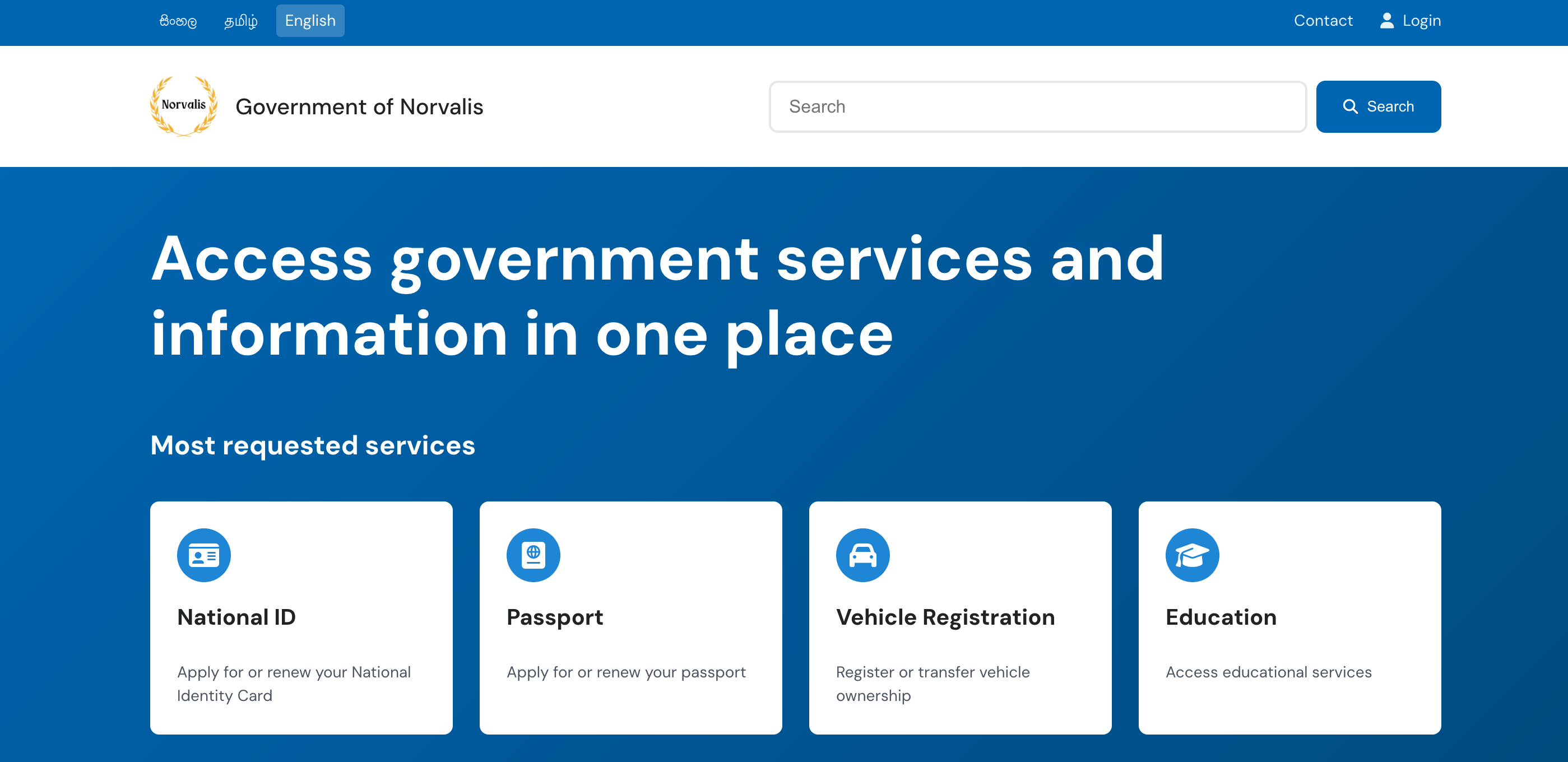
Runs the app in the development mode.
Open http://localhost:3000 to view it in the browser.
The page will reload if you make edits.
You will also see any lint errors in the console.
npm test
Launches the test runner in the interactive watch mode.
See the section about running tests for more information.
npm run build
Builds the app for production to the build folder.
It correctly bundles React in production mode and optimizes the build for the best performance.
The build is minified and the filenames include the hashes.
Your app is ready to be deployed!
See the section about deployment for more information.
npm run eject
Note: this is a one-way operation. Once you eject, you can’t go back!
If you aren’t satisfied with the build tool and configuration choices, you can eject at any time. This command will remove the single build dependency from your project.
Instead, it will copy all the configuration files and the transitive dependencies (Webpack, Babel, ESLint, etc) right into your project so you have full control over them. All of the commands except eject will still work, but they will point to the copied scripts so you can tweak them. At this point you’re on your own.
You don’t have to ever use eject. The curated feature set is suitable for small and middle deployments, and you shouldn’t feel obligated to use this feature. However we understand that this tool wouldn’t be useful if you couldn’t customize it when you are ready for it.
A 100% open source modern, accessible, and multilingual website template designed specifically for government portals. Available as both a static HTML template and a full WordPress CMS solution with advanced multilingual support.
Service Categories (/wp-json/wp/v2/service_category)
Custom icons and color schemes
Multilingual category management
Government Updates (/wp-json/wp/v2/gov_update)
Featured updates and announcements
Date-based sorting and archives
Enhanced API Endpoints
/wp-json/opengovui/v1/featured-services?lang=en  # Featured services
/wp-json/opengovui/v1/categories?lang=si         # Service categories
/wp-json/opengovui/v1/updates?lang=ta           # Government updates
/wp-json/opengovui/v1/services?lang=en          # All services
Content Population System
One-Click Setup: Automatically creates sample government content
Multilingual Content: Creates content in English, Sinhala, and Tamil
Realistic Data: Government services, categories, and updates
Hero section with featured services from WordPress
Topic categories with dynamic icon navigation
Government updates with content management
Footer with important links and social media
🔄 Customisation
WordPress CMS (Recommended)
Admin Dashboard: Full WordPress interface for content management
Content Population: Use the built-in system to create sample content
Service Management: Add/edit services with icons, URLs, and metadata
Category Management: Create categories with custom colors and icons
Update Publishing: Manage government announcements and news
Multilingual Content: Full translation support via Polylang
Custom Fields: Rich metadata for all content types
Static Template
Edit the HTML directly to change content
Update the data-i18n attributes and corresponding translation files
Modify icons by changing FontAwesome classes
Customize CSS for branding
Styling
WordPress version inherits all static template styling
Edit theme’s style.css for WordPress-specific customizations
FontAwesome 6.5.1 included for comprehensive icon support
Custom color schemes available for categories
🔌 Plugin Dependencies
Required for Full Functionality
Polylang (Free): Multilingual support
Language management and switching
Content translation workflow
Meta field synchronization
Recommended
Classic Editor: For traditional WordPress editing experience
Yoast SEO: Enhanced SEO with multilingual support
📋 Version History
v2.1.0 – Enhanced WordPress CMS with Polylang Integration (Current)
Full Polylang multilingual plugin support
AI-powered translation system with Claude Sonnet 3.7 integration
Advanced REST API endpoints
Content population system
Intelligent translation manager with admin dashboard
Enhanced admin interface
v2.0.0 – WordPress CMS Integration
v1.2.0 – Complete Static Template with Tamil translations
v1.1.0 – Fira Sans typography update
v1.0.0 – Initial static template release
🚀 API Documentation
REST API Endpoints
Custom OpenGovUI Endpoints
# Get featured services
GET /wp-json/opengovui/v1/featured-services?lang=en

# Get service categories
GET /wp-json/opengovui/v1/categories?lang=si

# Get government updates
GET /wp-json/opengovui/v1/updates?lang=ta

# Get all services
GET /wp-json/opengovui/v1/services?lang=en&category=health
Standard WordPress Endpoints
# Government Services
GET /wp-json/wp/v2/gov_service

# Service Categories
GET /wp-json/wp/v2/service_category

# Government Updates
GET /wp-json/wp/v2/gov_update
All endpoints support language parameters and return properly formatted content with metadata.
📄 Licence
This project is licensed under the MIT Licence – see the LICENCE file for details.
🤝 Contributing
Contributions are welcome! Feel free to submit pull requests or open issues for any improvements.
Here is what is known about the programming language Quylthulg.
Quylthulg:
is a programming language;
is named Quylthulg;
was designed by Chris Pressey;
does not, quite apart from prevailing trends in programming
practice, shun the use of goto;
is, however, somewhat particular about wheregoto may be used
(goto may only occur inside a data structure);
is purely functional (in the sense that it does not allow
“side-effectful” updates to values);
forbids recursion;
provides but a single looping construct: foreach, which applies an
expression successively to each value in a data structure;
is Turing-complete; and
boasts an argument-less macro expansion facility (in which recursion
is also forbidden.)
Syntax
The syntax for identifiers draws from the best parts of the esteemed
languages BASIC and Perl. Like Perl, all identifiers must be preceded by
a $ symbol, and like BASIC, all identifiers must be followed by a $
symbol. Well, OK, that’s for strings anyway, but we don’t care about
their types really, so we use $ for everything. (Also, studies show
that this syntax can help serious TeX addicts from “bugging out”.)
A nice practical upshot of this is that identifier names may contain any
characters whatsoever (excepting $), including whitespace.
Because of this, the syntax for string literals can be, and is, derived
from the syntax for identifiers. A string literal is given by a ~
followed by an identifier; the textual content of the name of the
identifier is used as the content of the string literal. A string
literal consisting of a single $ symbol is given by ~~.
Many find the syntax for labels to be quite sumilar to that for
identifiers. (Some even find it to be quite similar.) Labels are
preceded and followed by : symbols, and may contain any symbol except
for :.
Syntax for binary operations follows somewhat in the footsteps of the
identifier syntax. It is a combination of prefix, infix, and postfix
syntax, where the two terms must be preceeded, followed, and seperated
by the same symbol. We call this notation panfix. It is perhaps worth
noting that, like postfix, panfix does not require the deployment of
arcane contrivances such as parentheses to override a default operator
precedence. At the same time, panfix allows terms to be specified in the
same order and manner as infix, an unquestionably natural and intuitive
notation to those who have become accustomed to it.
So, we give some examples:
*+1+2+*3*
&~$The shoes are $&&~~&~$9.99 a pair.$&&
The first example might be stated as (1+2)*3 in conventional, icky
parenthesis-ful notation, and evaluates to 9. The second evaluates to
the string “The shoes are $9.99 a pair.”
There are no unary operators in Quylthulg. (Note that ~ isn’t really a
unary operator, actually not an operator at all, because it must be
followed by an identifier, not an expression. Well, maybe it’s a special
kind of operator then, an identifier-operator perhaps. But you see what
I’m getting at, don’t you? Hopefully not.)
There is a special 6-ary operator, foreach. It has its own syntax
which will be covered below.
Data Types
Strings and Integers
Yes. Also a special type called abort, of which there is a single
value abort, which you’ll learn about later.
Lists
The sole data structure of note in Quylthulg is the list. Lists are
essentially identical to those found in other functional languages such
as Scheme: they are either the special value null, which suggests an
empty list, or they consist of a cons cell, which is a pair of two
other values. By convention, the first of this pair is the value of this
list node, and the second is a sublist (a null or a cons) which
represents the rest of this list.
The value of a list node may be any value: a scalar such as an integer
or a string, another (embedded sub)list, or the special value abort. cons cells are constructed by the , panfix operator. Some examples
follow:
,1,,2,,3,null,,,
,1,,2,3,,
The first example constructs a proper list. So-called “improper” lists,
which purely by convention do not end with null, can also be
constructed: that’s the second example.
When all of the terms involved are literal constants embedded in the
program text, there is a shorthand syntax for these list expressions,
stolen from the Prolog/Erlang school:
[1, 2, 3]
[1, 2 | 3]
Note, however, that [] is not shorthand for null. Note also that
when this syntax is used, all values must be literal constants: there
will be no tolerance for variables. There will, however, be tolerance
for gotos and labels; see below for more on that.
Cyclic Lists
Labels and the goto construct enable the definition of cyclic data
structures like so:
Note that this can only be done in literal constant data structure
expressions, not in , (consing) operations or expression involving a
variable. This is to avoid the dynamic construction of labelled terms,
which just a tad mind-bending and which I’ve decided to save for a
sequel to Quylthulg, whatever and whenever that might be. Note also that
labels have their own syntax during declaration, but (oh so helpfully)
insist on being referred to in gotos by the $ syntax used for
identifiers.
List Operators
The values contained in a cons cell can be extracted by the felicitous
use of the binary operators < (‘first’) and > (‘rest’). For both of
these operators, the left-hand side is the cons cell to operate on,
and the right-hand side is an expression which the operator will
evaluate to in the case that it cannot successfully extract the value
from the cons cell (e.g., the left-hand side is not in fact a cons
cell but rather something else like a null or a number or a string or abort.
There is also an operator ; which appends one list (the right-hand
side) onto the end of another list (the left-hand side.) This is
probably not strictly necessary, since as we’ll see later we can probably
build something equivalent using foreaches and macros, but what the
hell, we can afford it. Party down.
These list operators honour cyclic lists, so that >[:X: 4 | goto :X:]>abort>, to take just one instance, evaluates to 4.
Control Flow
Quylthulg’s sole looping construct, foreach, is a recursing abortable
“fold” operation. It is passed a data structure to traverse, an
expression (called the body) that it will apply to each value it
encounters in the traversed data structure, and an initial value called
the accumulator. Inside the body, two identifiers are bound to two
values: the value in the data structure that the body is currently being
applied to, and the value of the current value. The names of the
idenfiers so bound are specified in the syntax of the foreach
operator. The value that the body evaluates to is used as the
accumulator for the next time the body is evaluated, on the next value
in the data structure. The value that foreach evaluates to is the
value of the final accumulator (emphasis mine.) The full form of this
operator is as follows:
foreach $var$ = data-expr with $acc$ = initial-expr be loop-expr else be otherwise-expr
foreach traverses the data structure in this manner: from beginning to
end. It is:
recursing, meaning if the current element of the list is itself a
(sub)list, foreach will begin traversing that (sub)list (with the
same body and current accumulator, natch) instead of passing the
(sub)list to the body; and
abortable, meaning that the loop-expr may evaluate to a special
value abort, which causes traversal of the current (sub)list to
cease immediately, returning to the traversal of the containing
list, if any.
If the data-expr evaluates to some value besides a cons cell (for
example, null or an integer or a string), then the loop-expr is
ignored and the otherwise-expr is evaluated instead.
As an example,
-foreach $x$ = [2, 3, 4] with $a$ = 1 be *$a$*$x$* else be null-1-
will evaluate to 23. On the other hand,
foreach $x$ = null with $a$ = 1 be $a$ else be 23
will also evaluate to 23.
Macro System
Quylthulg boasts an argument-less macro expansion system. (Yes, there is
no argument about it: it boasts it. It is quite arrogant, you know.)
Where-ever text of the form {foo} appears in the source code, the
contents of the macro named foo are inserted at that point, replacing {foo}. This process is called the expansion of foo. But it gets
worse: whereever text of the form {bar} appears in the contents of
that macro called foo, those too will be replaced by the contents of
the macro called bar. And so on. Three things to note:
If there is no macro called foo, {foo} will not be expanded.
If {foo} appears in the contents of foo, it will not be
expanded.
Nor will it be expanded if it appears in the contents of foo as
the result of expanding some other macro in the contents of foo.
(I stand corrected. That was more like 2.5 things to note.)
Macros can be defined and redefined with the special macro-like form {*[foo][bar]}. The first text between square brackets is the name of
the macro being defined; the text between the second square brackets is
the contents. Both texts can contain any symbols except unmatched ]‘s.
i.e. you can put square brackets in these texts as long as they nest
properly.
Now you see why we don’t need arguments to these macros: you can simply
use macros as arguments. For example,
{*[SQR][*{X}*{X}*]}{*[X][5]}{SQR}
uses an “argument macro” called X which it defines as 5 before
calling the SQR macro that uses it.
Note that macros are expanded before any scanning or parsing of the
program text begins. Thus they can be used to define identifiers,
labels, etc.
Comments
The macro system also provides a way to insert comments into a Quylthulg
program. It should be noted that there are at least three schools of
thought on this subject.
The first school (Chilton County High School in Clanton, Alabama) says
that most comments that programmers write are next to useless anyway
(which is absolutely true) so there’s no point in writing them at all.
The second school (Gonzaga College S.J. in Dublin, Ireland — not to be
confused with Gonzaga University in Spokane, Washington) considers
comments to be valuable as comments, but not as source code. They
advocate their use in Quylthulg by the definition of macros that are
unlikely to be expanded for obscure syntactical reasons. For example, {*[}][This is my comment!]}. Note that that macro can be expanded in
Quylthulg using {}}; it’s just that the Gonzaga school hopes that you
won’t do that, and hopes you get a syntax error if you try.
The third school (a school of fish) believes that comments are valuable,
not just as comments, but also as integral (or at least distracting)
parts of the computation, and champions their use in Quylthulg as string
literals involved in expressions that are ultimately discarded. For
example, <~$Addition is fun!$<+1+2+<.
Integration with the Rest of the Language
To dispel the vicious rumours that the macro system used in Quylthulg
and the Quylthulg language are really independent and separate entities
which just happen to be sandwiched together there, we are quick to
point out that they are bound by two very important means:
At the beginning of the program, at a global scope, the identifier $Number of Macros Defined$ is bound to an integer constant
containing the number of unique macros that were defined during
macro expansion before the program was parsed.
The panfix operator % applies macros to a Quylthulg string at
runtime. The expression on the left-hand side should evaluate to a
string which contains macro definitions. The expression on the
right-hand side is the string to expand using these macro
definitions.
Turing-Completeness
Now, I claim that Quylthulg is Turing-complete — that is, that it can
compute anything that a Turing machine (or any other Turing-complete
system) can. I would provide a proof, but since the point of a proof is
to dispel doubt, and since you have not expressed any doubt so far (at
least none that I have been able to observe from my vantage point), and
since (statistically speaking anyway) you believe that fluoride in
drinking water promotes dental health, that the sun is a giant nuclear
furnace, that Wall Street is substantially different from Las Vegas,
that a low-fat diet is an effective way to lose weight, that black holes
exist, and that point of the War on Drugs is to stop people from harming
themselves — well, in light of all that, a proof hardly seems
called-for. Instead, I shall perform a series of short vignettes, each
intended to invoke the spirit of a different forest animal or
supermarket checkout animal. Then I shall spray you with a dose of a new
household aerosol which I have invented and which I am marketing under
the name “Doubt-B-Gone”.
We can use foreach as an if-then-else construct by using lists to
represent booleans.
Using null to represent false, and cons anything to represent
true, we use the else part of foreach to accomplish a boolean
if-then-else. We can employ ; to get boolean OR and nested foreaches to get boolean AND. (Detailed examples of these can be
found in the unit tests of the Quylthulg reference interpreter,
which is called “Qlzqqlzuup, Lord of Flesh”.)
We can construct an infinite loop by running foreach on a cyclic
data structure.
For example,
foreach $x$ = :L:[1, 2, 3, goto $L$] with $a$ = 0 be $x$ else be null
never finishes evaluating, and in the body, $x$ takes on the
values 1, 2, 3, 1, 2, 3, … ad infinitum.
We can treat the accumulator of a foreach like an unbounded tape,
just like on a Turing machine.
We can pass in a cons cell where the first value is a list
representing everything to the left of the head, and the second
value is a list representing everything to the right of the head.
Moving the head left or right can be accomplished by taking the
first (<) off the appropriate list and cons (,) it onto the
other list. There are also other ways to do it, of course. The point
is that there is no bound specified on the length of a list in
Quylthulg.
We can, in fact, make foreach act like a while construct.
We just combine the looping forever with an if-then-else which
evaluates to abort when the condition comes true.
We can give foreach a cyclic tree-like data structure which
describes the finite control of a Turing machine.
Although we don’t have to — we could just use nested foreaches to
make a lot of tests against constant values.
We can even make foreach work like let if we need to.
Just bind the accumulator to $Name$, refer to $Name$ in the
body, and ignore the contents of the one-element list. Or use it to
bind two variables in one foreach.
PHHSHHHHHHHHHHHHHHTt.
Discussion
Now I’m hardly the first person to suggest using cyclic lists as an
equivalent alternative to a general looping construct such as while.
It has long been a stylish LISP programming
technique. However,
to comply with the Nietzschean-Calvinist mandate of our society (that
is, to sustain the progress that will thrust us toward the
“Perfect Meat at the End of Time” of which Hegel spoke,) we must demonstrate that we have innovated:
Quylthulg provides only this method of looping; without it, it
would not be Turing-complete, and
Unlike the extant stylish programming techniques, which require
side-effecting operations such as rplacd to pull off, Quylthulg is
a pure functional programming language without updatable storage.
Huzzah.
It is somewhat sad to consider just how long Quylthulg took to design
and how much of that labour took place aboard airplanes. It is even
sadder to consider some of the delusions I was occupied with while
designing it. Some of the biggest were the idea that foreach somehow
had to be recursable for this to work — it doesn’t, but I left it in.
For similar reasons I left in ;, the append operator. And I’ve already
mentioned the headaches with allowing labels and gotos in expressions
rather than only in literals.
Long live the new flesh, eh?
Chris Pressey
Seattle, Washington
Dec 6, 2008
This is a simple UI program that allows you to easily explore the concept of the pytschirp project. This project builds Python language bindings for MIDI-capable synthesizers, to allow you to program these synthesizers in, you guessed it, Python.
Real synthesizer programming.
For the time being, currently only the Sequential Prophet Rev2 synthesizer is supported, but many more synths are on their way, let us know if you have a specific device you want supported.
If you acquire the software, this is what you will get:
Effectively it is a little code editor already preloaded with a python interpreter and pytschirp, so you can type into the edit window, execute the python by pressing CTRL-ENTER, and see the output, error messages, as well as the generated MIDI commands going back and forth between your computer and the synthesizer.
You can use it a little bit like a Jupyter Notebook by selecting text and then using ALT-ENTER to execute only the selection.
Live editing of synthesizers is possible.
Example
Creating the synthesizer in Python is as easy as it gets with just three lines of code:
import pytschirp
r = pytschirp.Rev2()
r.detect()
This will produce some MIDI messages in the lower right corner of the screen, and when everything is setup properly (the computer can talk to the Rev2), we are now ready for live editing the edit buffer of the synthesizer. For this, we will retrieve the edit buffer object:
e = r.editBuffer()
which is now “alive” in that every modification we make in python to the edit buffer, MIDI commands will be sent immediately to the synth.
So for example, if you want to set the cutoff parameter:
e.Cutoff = 0
will set that value. Alternatively, you can get a textual print out of the whole edit buffer by doing a
print(e.toText())
Python is ideally suited to to complex things, for example randomize the track one of the gated sequencer in a specific value range by:
import random
e["Seq Track 1"] = [random.randrange(30, 80) for _ in range(16)]
You get the gist. There are some real-life examples in the aptly called examples directory, have a look at them.
Full documentation on the language bindings of pytschirp will be created inside the pytschirp project, head over there for the in-depth infos. pytschirp can be used standalone from any python interpreter or even Jupyter notebook, the PyTschirper UI program is only a little tool that allows people to quickly explore the idea.
Building the software
Supported platforms
Tested currently only on Windows 10, but all technology used is cross platform and it should be possible to build on Linux and Mac OS, if you know what you are doing.
Prerequisites
We use CMake 3.14 and Visual Studio 2017 for C++. Make sure to have both of these installed. Newer Visual Studios might work as well, you can select them as generators in CMake. We also require a Python 3.6 installation.
The recursive clone with submodules is required to retrieve the following additional modules already into the right spot inside the source tree:
We use the magnificent JUCE library to immensly reduce the amount of work we have to do.
juce-cmake to allow us to use JUCE and CMake together.
pybind11 is the solution to use C++ code from within Python, as is done by the pytschirp project, as well as embedding Python into C++ code, which is what we do here in PyTschirper.
The configure step will download (on Windows) the allmighty boost library, sorry for the bloat but I simply had no time to remove the dependency yet. All my professional projects of course rely on boost, so it is a natural to incorporate it here as well.
Building on Windows
Using CMake and building is a simple step if the prerequisites are fulfilled. Simply open a command line in the downloaded root directory <PyTschirpDir> and run
This will generate a solution file for Visual Studio in the builds subdirctory. You can build the software to run it immediately with the command
cmake --build builds --config Release
This will produce the executable in the path builds\source\Release, namely a file called PyTschirper.exe which you can double click and launch.
Licensing
As some substantial work has gone into the development of this, I decided to offer a dual license – AGPL, see the LICENSE.md file for the details, for everybody interested in how this works and willing to spend some time her- or himself on this, and a commercial MIT license available from me on request. Thus I can help the OpenSource community without blocking possible commercial applications.
Contributing
All pull requests and issues welcome, I will try to get back to you as soon as I can. Due to the dual licensing please be aware that I will need to request transfer of copyright on accepting a PR.
About the author
Christof is a lifelong software developer having worked in various industries, and can’t stop his programming hobby anyway.
BizCardX is a Streamlit application that effortlessly streamlines business card data extraction through advanced OCR technology. Users can easily upload card images to retrieve essential details, including company names, cardholder names, contact information, and more. With a strong focus on data security and user authentication, BizCardX ensures secure data storage and offers streamlined management via the user-friendly Streamlit UI. Experience an efficient, secure, and user-friendly solution for managing business card information effortlessly with BizCardX.
Table of Contents
Key Technologies and Skills
Installation
Usage
Features
Contributing
License
Contact
Key Technologies and Skills
Python
EasyOCR
Data Extraction
Streamlit (GUI development)
PostgreSQL (Database management)
Installation
To run this project, you need to install the following packages:
Clone the repository: git clone https://github.com/gopiashokan/BizCardX-Extracting-Business-Card-Data-with-OCR.git
Install the required packages: pip install -r requirements.txt
Run the Streamlit app: streamlit run app.py
Access the app in your browser at http://localhost:8501
Features
BizCardX offers a range of powerful features to streamline the extraction and management of business card information with a strong emphasis on data protection.
Business Card Data Extraction
Effortless Extraction: Easily extract information from business cards by uploading an image, thanks to BizCardX’s integration with the easyOCR (Optical Character Recognition) library.
Encountering errors while extracting image data using EasyOCR in local IDEs led to the adoption of
Google Colab for this process
Structured Presentation: The extracted data is elegantly presented alongside the uploaded image, ensuring a clear and organized overview.
Comprehensive Information: Extracted details include the company name, cardholder name, designation, contact information, and address.
User-Friendly GUI: Navigate and interact with the user-friendly graphical interface for a seamless experience.
Data Storage and Authentication
Secure Authentication: Safeguard your data with user authentication, ensuring that only authorized users can access and manage it.
Data Verification: Review and confirm the extracted data before it’s securely stored in the database. Make necessary changes with confidence.
Data Management and Editing
Credential Verification: To edit database records, verify your credentials (username and password) for added security.
Effortless Editing: Easily modify your data as needed, and watch as the changes are automatically updated in the database.
Secure Data Deletion
Protected Data: Ensure the safety of your data with strong user authentication, preventing unauthorized access or deletion.
Credentials Check: When initiating data deletion, BizCardX verifies your username and password, displaying a list of associated records.
BizCardX emphasizes data protection, providing secure and user-friendly tools for managing your business card information.
Contributing
Contributions to this project are welcome! If you encounter any issues or have suggestions for improvements, please feel free to submit a pull request.
License
This project is licensed under the MIT License. Please review the LICENSE file for more details.
monkeyplug is a little script to censor profanity in audio files (intended for podcasts, but YMMV) in a few simple steps:
The user provides a local audio file (or a URL pointing to an audio file which is downloaded)
Either Whisper (GitHub) or the Vosk–API is used to recognize speech in the audio file
Each recognized word is checked against a list of profanity or other words you’d like muted
ffmpeg is used to create a cleaned audio file, muting or “bleeping” the objectional words
You can then use your favorite media player to play the cleaned audio file.
If provided a video file for input, monkeyplug will attempt to process the audio stream from the file and remultiplex it, copying the original video stream.
monkeyplug is part of a family of projects with similar goals:
To install FFmpeg, use your operating system’s package manager or install binaries from ffmpeg.org. The Python dependencies will be installed automatically if you are using pip to install monkeyplug, except for vosk or openai-whisper; as monkeyplug can work with both speech recognition engines, there is not a hard installation requirement for either until runtime.
usage
usage: monkeyplug.py <arguments>

monkeyplug.py

options:
  -v, --verbose [true|false]
                        Verbose/debug output
  -m, --mode <string>   Speech recognition engine (whisper|vosk) (default: whisper)
  -i, --input <string>  Input file (or URL)
  -o, --output <string>
                        Output file
  --output-json <string>
                        Output file to store transcript JSON
  -w, --swears <profanity file>
                        text file containing profanity (default: "swears.txt")
  -a, --audio-params APARAMS
                        Audio parameters for ffmpeg (default depends on output audio codec)
  -c, --channels <int>  Audio output channels (default: 2)
  -s, --sample-rate <int>
                        Audio output sample rate (default: 48000)
  -f, --format <string>
                        Output file format (default: inferred from extension of --output, or "MATCH")
  --pad-milliseconds <int>
                        Milliseconds to pad on either side of muted segments (default: 0)
  --pad-milliseconds-pre <int>
                        Milliseconds to pad before muted segments (default: 0)
  --pad-milliseconds-post <int>
                        Milliseconds to pad after muted segments (default: 0)
  -b, --beep [true|false]
                        Beep instead of silence
  -h, --beep-hertz <int>
                        Beep frequency hertz (default: 1000)
  --beep-mix-normalize [true|false]
                        Normalize mix of audio and beeps (default: False)
  --beep-audio-weight <int>
                        Mix weight for non-beeped audio (default: 1)
  --beep-sine-weight <int>
                        Mix weight for beep (default: 1)
  --beep-dropout-transition <int>
                        Dropout transition for beep (default: 0)
  --force [true|false]  Process file despite existence of embedded tag

VOSK Options:
  --vosk-model-dir <string>
                        VOSK model directory (default: ~/.cache/vosk)
  --vosk-read-frames-chunk <int>
                        WAV frame chunk (default: 8000)

Whisper Options:
  --whisper-model-dir <string>
                        Whisper model directory (~/.cache/whisper)
  --whisper-model-name <string>
                        Whisper model name (base.en)
  --torch-threads <int>
                        Number of threads used by torch for CPU inference (0)
Docker
Alternately, a Dockerfile is provided to allow you to run monkeyplug in Docker. You can pull one of the following images:
/api_deployment – The openshift repo (we just copy the sources from api to this directory and push it up to openshift)
/api/server/website – Static files of the website at-one-go.com
/api/server/website/app – The WebApp will be served from here (optimized sources from /dist will be copied to this directory via make webapp)
/api/server/test – All backend tests
/test – All frontend tests
/dist – Created via Grunt. The optimized sources will be used in the phonegap app and the webapp
/mobile/ – Phonegap project directory (v3.x)
/docs – All software documentation
Files
Makefile – The Makefile for everything
/app/index.html – The base html file for the phonegap app (goes to /mobile/ios/www/ or /mobile/android/assets/www/ via Makefile)
/app/webapp.html – The base html file for the web app (goes to api/server/website/app/ via Makefile)
Important client side JavaScript files
/app/scripts/config.js – The RequireJS config file for development (see also /app/scripts/config.production.js)
/app/scripts/main.js – The main bootstrapper, all initial event handling (domready/deviceready, global click/touch handlers, global ajax config…)
/app/scripts/router.js – The AppRouter, all client side navigation is done via history api (pushstate is on phonegap apps not needed). All routes of the app are defined here, and the router takes care of the rendering of root-views (screens)
Local installation
1. The App
$ cd path/to/your/projects
$ git clone repo-url.git atonego
$ cd atonego
# install local build system using grunt [optional]
$ npm install
# NOTE: The folder `atonego` should be served via a locally installed webserver like apache
$ open http://127.0.0.1/atonego # should serve index.html now
Via phonegap
$ make ios_build_dev && clear && t mobile/ios/cordova/console.log
Checkout the Makefile for more information.
2. The API
A RESTful API for the app is written in JavaScript using Node.js, the website at-one-go.com and the webapp will be served through Node.js too.
NOTE: The production config file api/server/config/environments/production.json is not under version control.
$ cd api
$ npm install       # install dependencies only once
$ mongod &          # start mongodb if not already running
$ node server.js    # start the node app in development mode
CodeCoverage /app/scripts via Blanket.js, see Tests in the Browser via testem.
$ cd project_root
$ testem      # default mode - Browsers can run the testsuite at http://localhost:7357
$ testem ci   # ci mode      - run the suite in all available browsers
Execute the tests in a simulator or on a device:
$ make test_build # copies `/app` und `/test` in mobile's `www` directories
# after that, the file config.xml (ios/android) has to be edited:

<content src="https://github.com/mwager/test/index_browser.html" />

Then just run:
$ make ios # build the phonegap app with the current content of `mobile/ios/www`
$ make android # same for `mobile/android/assets/www`...

# shortcuts (config.xml!)
$ make test_build && make ios
$ make test_build && make android
We use HTTP Basic auth over SSL everywhere. On login (or signup), a secret API TOKEN gets generated from the user’s ID and a random string. This token will be encrypted via AES and sent over to the client. As RESTful APIs should be stateless, each following request must include this token in the password field of the Authorization-Header to authenticate against the service.
The App and the API/website were developed with support for multilingualism. The following directories include all Texts:
/app/scripts/libs/locales -> Texts of the App
/api/server/locales -> Texts of the Website & API
Error Handling
Models are always returning the Error as the first parameter in the callback (Node.js-Style, null on success), the second parameter can be used as return value, e.g. callback(null, user)).
Example
// in a model-method e.g. todolist.fetchList()
if (!list) {
    utils.handleError('damnit some error message'); // optional logging
    return callback({key: 'listNotFound'});
}
return callback(err);

// later: (e.g. in controllers)
if(err && err.key) {
    // Error already logged (Log-files)
    // Usage of key via `__(key)`
    var text = __(err.key);
    // `text` is now smt like "List not found" or
    // "Liste nicht gefunden" (e.g. based on current request)
    return displayErrToUserSomehow(text);
}
Deployment
Be sure to check out the Makefile for more infos.
Deployment of the App via Phonegap
Via PhoneGap for iOS [and Android]. There is a Makefile for automating tasks
like optimizing the sources or compiling the native Apps via Phonegap.
We generate one optimized JavaScript file (aog.js) via the requirejs optimizer, which will look something like this.
$ make clean        # clean build directories
$ make ios_device   # optimize sources, copy to ios `www` and build
$ make ios          # build for ios via phonegap cli tools
$ make android      # build for android via phonegap cli tools
# NOTE: Shortcuts for running and logging: (phonegap catches "console.log()" calls)
# We want a clean log file: (running in simulator)
# 1. iOS
$ echo "" > mobile/ios/cordova/console.log && make ios_build && clear && t mobile/ios/cordova/console.log
# 2- Android
# be sure to connect a real device before running the following one, else the android simulator could screw up your system (-;
$ make android_build && make android_run && clear && adb logcat | grep "Cordova"
We use git tags for versioning. However, the file mobile/www/config.xml [and api/package.json and AndroidManifest.xml] should be manually updated on releases.
Deployment of the API
The API has its own repository at openshift. (URL: atonego-mwager.rhcloud.com) We are using a “Node.js-Catridge”, default Node-Version is 0.6.x (May 2013), but of course we want a newer version of Node.js, so we also set up this:
NOTE: this requires additional files (see /.gitignore).
# 1. This command will optimize the sources using grunt and copy the generated stuff from `/dist/` to `/api/server/website/app/`:
$ make webapp

# 2. This command copies the sources from `api/*` over to `api_deployment/`
# and pushes the stuff from there up to the openshift server.
$ make api_deploy

# restart from cli:
$ make api_restart
Openshift’s CLI Tool “rhc”
# install: (needs ruby)
$ gem install rhc

> rhc app start|stop|restart -a {appName}
> rhc cartridge start|stop|restart -a {appName} -c mysql-5.1

When you do a git push, the app and cartridges do get restarted.  It is best if you can find any indication of why it stopped via your log files.  Feel free to post those if you need any further assistance.

You can access your logs via ssh:
> ssh $UUID@$appURL (use "rhc domain show" to find your app's UUID/appURL
> cd ~/mysql-5.1/log (log dir for mysql)
> cd ~/$OPENSHIFT_APP_NAME/logs (log dir for your app)

# RESTART DATABASE ONLY:
$ rhc cartridge start -a atonego -c rockmongo-1.1

# RESTART APP ONLY:
$ rhc app start -a atonego
$ ssh ...
$ du -h * | sort -rh | head -50
$ rm -rf mongodb-2.2/log/mongodb.log*
$ rm -rf rockmongo-1.1/logs/*
$ echo "" > nodejs/logs/node.log

# and remove the mongodb journal files:
$ rm -rf  mongodb/data/journal/*
Locally:
rhc app tidy atonego
openshift
Cronjob:
On the Production-Server at openshift, there runs a minutely cronjob, checking all todos with notifications, so Email-, PUSH- and SocketIO-messages can be sent to notify users.
 $ mkdir mobile && cd mobile
 $ alias create="/path/to/phonegap-2.7.0/lib/ios/bin/create"
 $ create ios     de.mwager.atonego AtOneGo
 $ alias create="/path/to/phonegap-2.7.0/lib/android/bin/create"
 $ create android de.mwager.atonego AtOneGo
Avoid underscores in files and folders because Phonegap may fail to load the
contained files in Android. This is a known issue.
Edits
Zepto, Backbone
In a mobile environment like phonegap, memory management will be much more important than in the web. Variables in the global namespace are not cleaned up by the js engine’s garbage collector, so keeping our variables as local as possible is a must.
To avoid polluting the global namespace as much as possible, Zepto, Backbone and some other files in /app/scripts/libs were edited, see “atonego”.
Libs which are still global:
window._ -> /app/scripts/libs/lodash.js
window.io -> /app/scripts/libs/socket.io.js [not used anymore]
Zepto errors
Zepto’s touch module was edited to prevent lots of strange errors like:
TypeError: 'undefined' is not an object file:///var/mobile/Applications/XXXXXXXXXX/atonego.app/www/scripts/libs/zepto.js on line 1651
Search /app/scripts/lib/zepto.js for “atonego”.
iOS does not allow HTTP Requests against self-signed/invalid certs…
On iOS devices, there were problemes with the api endpoint at https://atonego-mwager.rhcloud.com/api. The following workaround is necessary!
The file /mobile/ios/atonego/Classes/AppDelegate.m was edited: (at the bottom)
Some inspiration for rendering Backbone views with nice animations: junior.js project
Disabled attributes & the tap event
The “disabled state” (“<button … disabled …/>”) will not be captured. So on every “tap” we must check if the element has an disabled attribute or class.
Ghostclicks
This is one of the most annoying problems I have ever had. Checkout main.js and router.js for some workarounds.
UPDATE: We do not use socket io anymore as its kind of senseless having an open connection in a todo-app. PUSH notifications should be enough. If you want to use websockets via phonegap on iOS, better do not use socketio version 0.9.
The app always crashed on resume after a (little) longer run. I was about to give up, then I found this
SocketIO’s “auto reconnect” somehow crashed the app on the iOS test devices (seg fault!). As a workaround I disconnect the websocket connection on Phonegap’s pause-event, and manually re-connect (using same socket/connection again) on the resume-event.
Create the *.IPA file via XCode: check “iOS device”, then: Product > Archive
Install the app on a real iOS device via xCode
Create provisioning profile, download, copy profile via organizer to device , (dblclick installs in xcode first)
XCode: update codesigning identity according to the downloaded provisioning profile (project AND target)
The cronjob
A minutely cronjob runs on the server, checking all todos which are due now, so we can notify users. However, I could not figure out a good solution to re-use my existing (running) node app for this. The current workaround is to listen for a POST to a specific URL, and POSTing to that URL via curl from the cronjob with some pseudo credentials set to “make sure” that the request came from the shell script, not from outside )-:
Search /api/worker.js -> “cron”
Console testing
Open the app in chrome or safari (dev or live), then open the dev console and put in some of the following commands to play with the app:
# as there is (almost) nothing global, we must require stuff first, use this as template:
> var $ = require('zepto'), app = require('app'), common = require('common');

# then try some of these (-:
> app.VERSION
> app.isMobile
> app.changeLang('de') // or app.changeLang('en') if currently in german
> app.router.go('help')
> window.history.back()
> var list = app.todolists.get('object id of list from url or app.todolists');
> list.toJSON()
// URL: #todolists
list.set('title', 'hello world')
> app.fetchUser() // watch network tab

var list = app.todolists.get('get id hash from url');
list.set('title', '');