


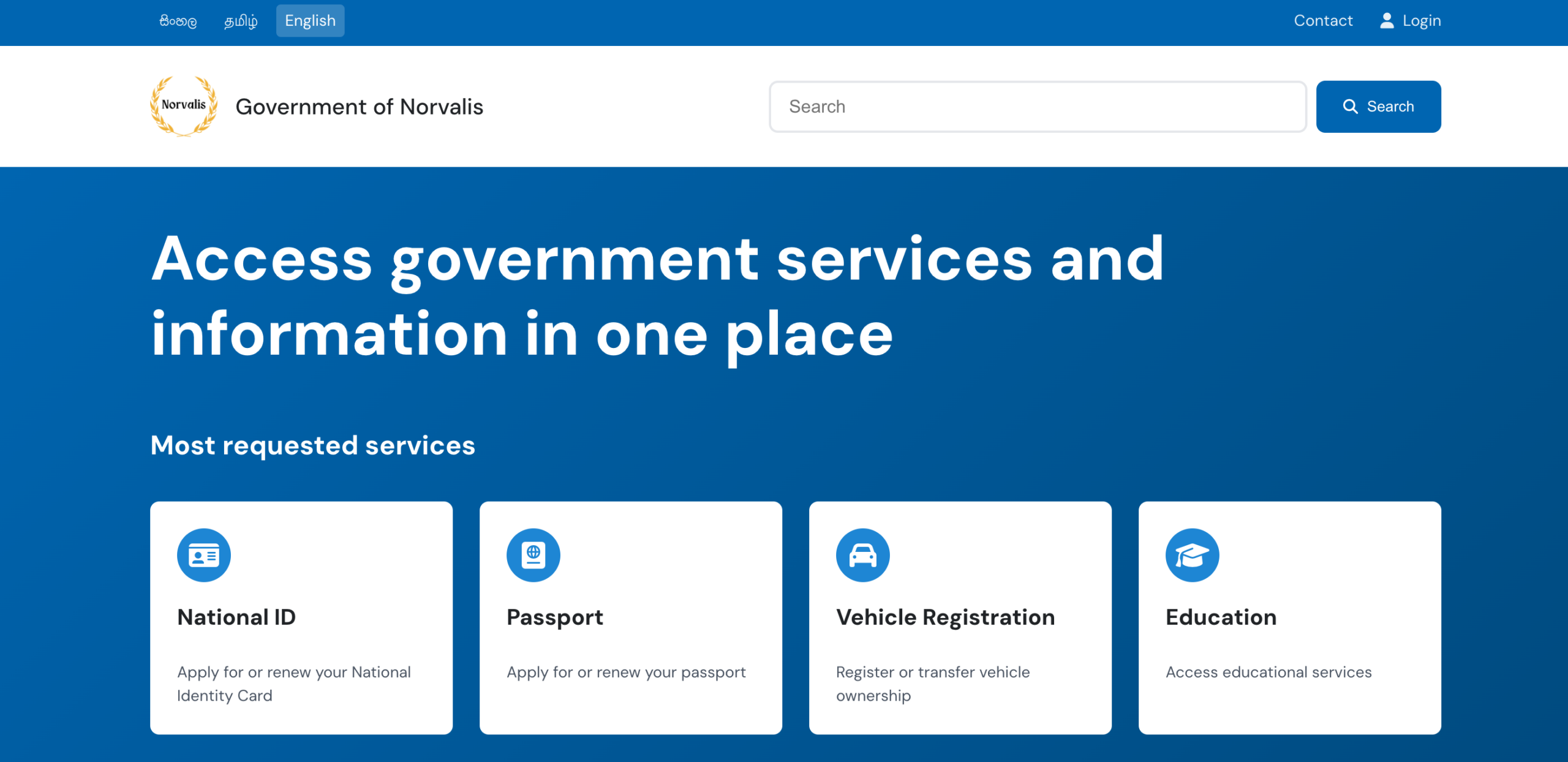


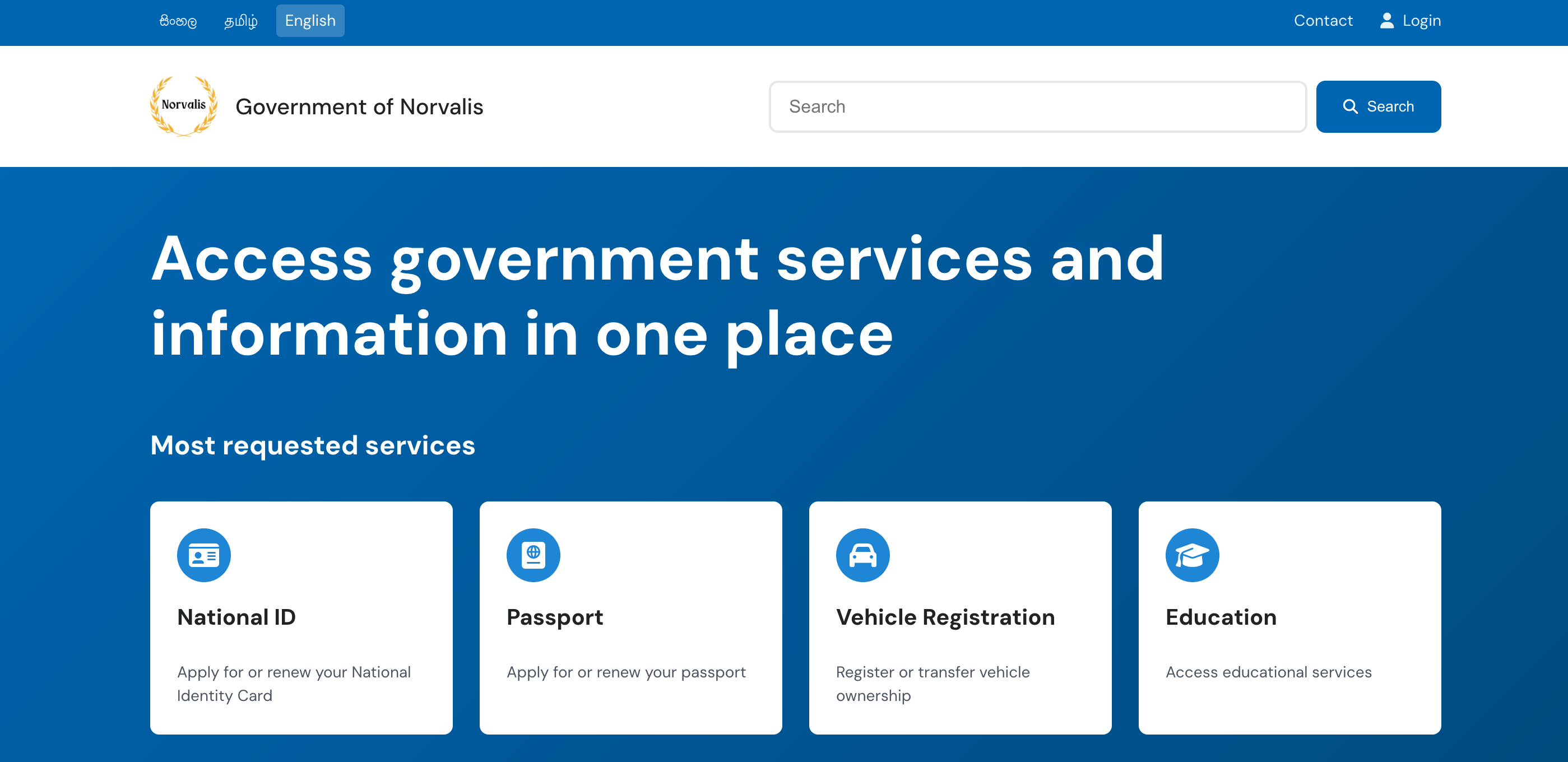
A 100% open source modern, accessible, and multilingual website template designed specifically for government portals. Available as both a static HTML template and a full WordPress CMS solution with advanced multilingual support.
Perfect for straightforward government portals that don’t need content management.
- ✅ No server required – Works with any web hosting
- ✅ Fast loading – Pure HTML/CSS/JavaScript
- ✅ Easy deployment – Just upload files
- ✅ No database needed
Full content management system with advanced multilingual support and admin interface.
- ✅ Admin dashboard – Manage content without coding
- ✅ Custom post types – Services, Categories, Government Updates
- ✅ Polylang integration – Professional multilingual support
- ✅ REST API – Advanced integration capabilities
- ✅ Content population – Automated content creation system
- ✅ AI Translation System – Claude Sonnet 3.7 powered auto-translation
- Mobile-first approach
- Fluid layouts that work across all device sizes
- Optimised navigation for both desktop and mobile users
- Skip to main content functionality
- ARIA labels where necessary
- Semantic HTML structure
- Government accessibility standards compliant
- Polylang Integration: Professional WordPress multilingual plugin support
- Language Syncing: Automatic synchronization of meta fields across translations
- Smart Language Detection: Automatic language mapping and detection
- AI-Powered Translation: Claude Sonnet 3.7 API integration for intelligent translations
- Auto-Translation Manager: Automated filling of missing translations with admin interface
- Translation Scanning: Intelligent detection of missing translations across all content
- Content Synchronization: Seamless content management across all languages
- Full support for English (en_GB, en_US), Sinhala (si_LK), and Tamil (ta_LK)
- Clean, professional government aesthetic with rounded, easy-to-read fonts
- FontAwesome 6.5.1 icons (CDN hosted)
- Service cards with intuitive icons
- Grid-based layouts for services and topics
- Social media integration
- Custom color schemes for categories
- Custom Post Types:
- Government Services with rich metadata
- Service Categories with icons and colors
- Government Updates with featured content
- Enhanced REST API: Custom endpoints for all content types
- Content Population System: One-click content creation with sample data
- Meta Field Management: Service URLs, processing times, requirements, featured status
- Admin Interface: Custom admin pages for content management
- Language-Aware Content: All content respects current language context
- Claude Sonnet 3.7 Integration: Advanced AI for contextually accurate translations
- Intelligent Translation Manager:
- Scans all content for missing translations
- Automatically fills gaps using AI
- Maintains translation consistency across the site
- Admin Dashboard: Easy-to-use interface for managing translations
- One-click translation scanning
- Bulk auto-translation capabilities
- Translation backup and restore
- Multi-Language Support: Seamlessly translates between English, Sinhala, and Tamil
- Government-Specific Context: AI trained to understand government terminology and formal language
- API Key Management: Secure configuration for Claude API integration
Perfect for simple government portals. No server or database required.
# Get the static template (v1.2.0)
git clone -b v1.2.0 https://github.com/pasan93/opengovui.git opengovui-static
cd opengovui-static-
Local Development:
python3 -m http.server 3000
-
Production: Upload files to any web hosting service
Full content management system with advanced multilingual capabilities.
- PHP 8.4+
- MariaDB/MySQL
- Web server (Apache/Nginx) or PHP built-in server
- Polylang Plugin (for full multilingual support)
# Get the WordPress version (v2.1.0)
git clone https://github.com/pasan93/opengovui.git opengovui-cms
cd opengovui-cms-
Download WordPress Core:
curl -O https://wordpress.org/latest.tar.gz
tar -xzf latest.tar.gz
cp -r wordpress/* .
rm -rf wordpress latest.tar.gz
-
Setup Database:
mariadb -u root < setup_database.sql -
Start Server:
php -S localhost:8080
-
Complete Installation:
- Open http://localhost:8080
- Follow WordPress installation wizard
- Install Polylang Plugin for multilingual support
- Activate “OpenGovUI” theme
- Configure AI Translation (Optional):
- Add your Claude API key to wp-config.php:
define('CLAUDE_API_KEY', 'your-api-key'); - Or configure via WordPress admin: Tools → Auto Translation
- Add your Claude API key to wp-config.php:
- Populate Content: Use the built-in content population system
- Auto-Translate Content: Access Tools → Auto Translation for AI-powered translations
- Start managing government services and content!
📚 View Full WordPress Setup Guide
opengovui-static/
├── index.html          # Main page
├── css/
│   └── styles.css      # Styling
├── js/
│   ├── i18n.js        # Internationalization
│   └── script.js      # Interactive features
└── images/
    └── govt-logo.png  # Government branding
opengovui-cms/
├── wp-content/
│   ├── themes/
│   │   └── opengovui/           # Custom government theme
│   │       ├── style.css        # Theme styles
│   │       ├── index.php        # Main template
│   │       ├── front-page.php   # Homepage template
│   │       ├── header.php       # Header template
│   │       ├── footer.php       # Footer template
│   │       ├── functions.php    # Theme functionality
│   │       ├── single-gov_service.php  # Service template
│   │       ├── js/
│   │       │   ├── multilingual.js     # Polylang integration
│   │       │   └── admin-auto-translate.js
│   │       └── includes/
│   │           ├── content-populator.php
│   │           └── translation-manager.php
│   ├── plugins/
│   │   └── polylang/           # Multilingual support
│   └── languages/              # Translation files
├── wp-config.php               # Database configuration
├── setup_database.sql          # Database setup
└── WORDPRESS_SETUP_GUIDE.md
- Government Services (
/wp-json/wp/v2/gov_service)- Service icons, URLs, processing times
- Requirements and featured status
- Full multilingual support
- Service Categories (
/wp-json/wp/v2/service_category)- Custom icons and color schemes
- Multilingual category management
- Government Updates (
/wp-json/wp/v2/gov_update)- Featured updates and announcements
- Date-based sorting and archives
/wp-json/opengovui/v1/featured-services?lang=en  # Featured services
/wp-json/opengovui/v1/categories?lang=si         # Service categories
/wp-json/opengovui/v1/updates?lang=ta           # Government updates
/wp-json/opengovui/v1/services?lang=en          # All services
- One-Click Setup: Automatically creates sample government content
- Multilingual Content: Creates content in English, Sinhala, and Tamil
- Realistic Data: Government services, categories, and updates
- Admin Interface: Easy-to-use content management dashboard
- Advanced Language Management: Professional multilingual plugin support
- Meta Field Syncing: Automatic synchronization of custom fields across languages
- Language Detection: Smart language mapping and detection
- Translation Workflow: Streamlined content translation process
The template uses a straightforward i18n system:
- HTML Markup: Uses
data-i18nattributes for translatable content:
<h1 data-i18n="hero.title">Access government services and information in one place</h1>- Language Selection: Simple language switcher in the header:
<div class="language-selector">
    <a href="#" lang="si">සිංහල</a>
    <a href="#" lang="ta">தமிழ்</a>
    <a href="#" lang="en" class="active">English</a>
</div>- Header with Polylang language selector and search
- Hero section with featured services from WordPress
- Topic categories with dynamic icon navigation
- Government updates with content management
- Footer with important links and social media
- Admin Dashboard: Full WordPress interface for content management
- Content Population: Use the built-in system to create sample content
- Service Management: Add/edit services with icons, URLs, and metadata
- Category Management: Create categories with custom colors and icons
- Update Publishing: Manage government announcements and news
- Multilingual Content: Full translation support via Polylang
- Custom Fields: Rich metadata for all content types
- Edit the HTML directly to change content
- Update the
data-i18nattributes and corresponding translation files - Modify icons by changing FontAwesome classes
- Customize CSS for branding
- WordPress version inherits all static template styling
- Edit theme’s
style.cssfor WordPress-specific customizations - FontAwesome 6.5.1 included for comprehensive icon support
- Custom color schemes available for categories
- Polylang (Free): Multilingual support
- Language management and switching
- Content translation workflow
- Meta field synchronization
- Classic Editor: For traditional WordPress editing experience
- Yoast SEO: Enhanced SEO with multilingual support
- v2.1.0 – Enhanced WordPress CMS with Polylang Integration (Current)
- Full Polylang multilingual plugin support
- AI-powered translation system with Claude Sonnet 3.7 integration
- Advanced REST API endpoints
- Content population system
- Intelligent translation manager with admin dashboard
- Enhanced admin interface
- v2.0.0 – WordPress CMS Integration
- v1.2.0 – Complete Static Template with Tamil translations
- v1.1.0 – Fira Sans typography update
- v1.0.0 – Initial static template release
# Get featured services
GET /wp-json/opengovui/v1/featured-services?lang=en

# Get service categories
GET /wp-json/opengovui/v1/categories?lang=si

# Get government updates
GET /wp-json/opengovui/v1/updates?lang=ta

# Get all services
GET /wp-json/opengovui/v1/services?lang=en&category=health# Government Services
GET /wp-json/wp/v2/gov_service
# Service Categories
GET /wp-json/wp/v2/service_category
# Government Updates
GET /wp-json/wp/v2/gov_updateAll endpoints support language parameters and return properly formatted content with metadata.
This project is licensed under the MIT Licence – see the LICENCE file for details.
Contributions are welcome! Feel free to submit pull requests or open issues for any improvements.
For support, please open an issue in the GitHub repository.
Made with ❤️ in 🇱🇰 for better government services
Leave a Reply